Create Uniform
Learn how to register new uniforms in Fleet Master, define variations, and prepare them for inventory and assignment.
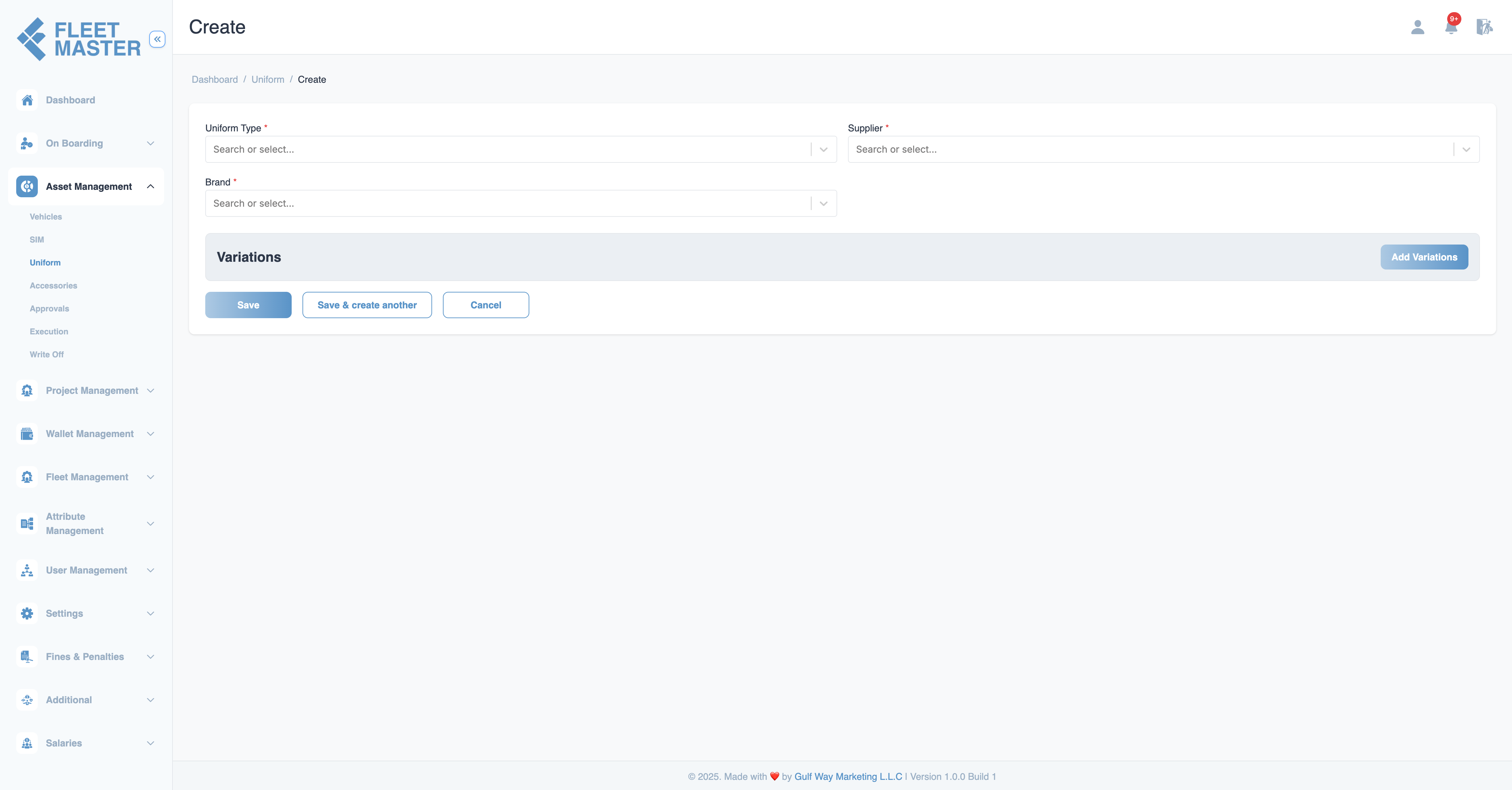
Create Uniform
Creating a uniform in Fleet Master is the first step in managing clothing assets across your organization. The system supports variation-based tracking, enabling you to manage different sizes, styles, and types of a uniform under a single item umbrella.
Step 1: Base Uniform Details
Start by filling in the essential details of the uniform:
| Field | Description |
|---|---|
| Uniform Type | General name of the uniform (e.g., Trouser). (Required) |
| Brand | Brand or label (e.g., Noon). (Required) |
| Supplier | Vendor or manufacturer providing the uniform. (Required) |
Step 2: Define Variations
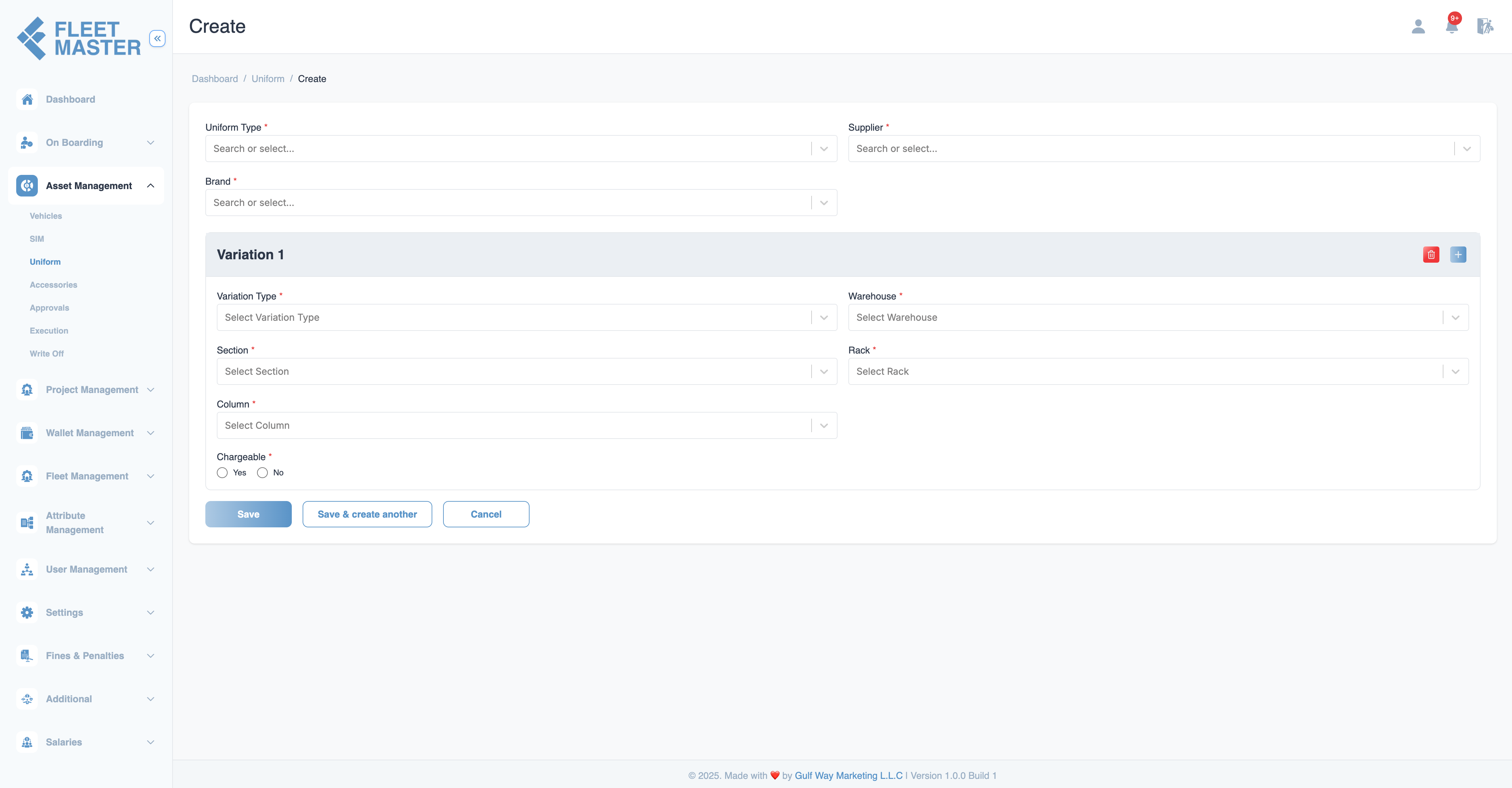
Variations allow a single uniform type to support multiple versions—such as sizes (S, M, L, XL), seasonal wear (Winter, Summer), or gender-based styles. Each variation behaves like an independent inventory unit.
Why Variations Matter:
- Enable accurate stock control across sizes or styles
- Support chargeable vs. non-chargeable distribution logic
- Allow granular warehouse mapping for each variation
- Make assignment and write-off tracking easier and more auditable
Variation Fields
| Field | Description |
|---|---|
| Variation Type | Size or type (e.g., Large, Winter). (Required) |
| Warehouse | Where the stock is physically stored. (Required) |
| Rack | Rack inside the warehouse. (Required) |
| Section | Section of the rack. (Required) |
| Column | Column inside the section. (Required) |
| Chargeable | If the item is billed on assignment. (Required) |
| Markup (%) | Optional % markup if chargeable. |
| VAT (%) | Optional VAT applied on top of markup. |
Note:
You can add multiple variations to a single uniform item.
Step 3: Add Stock to Variations
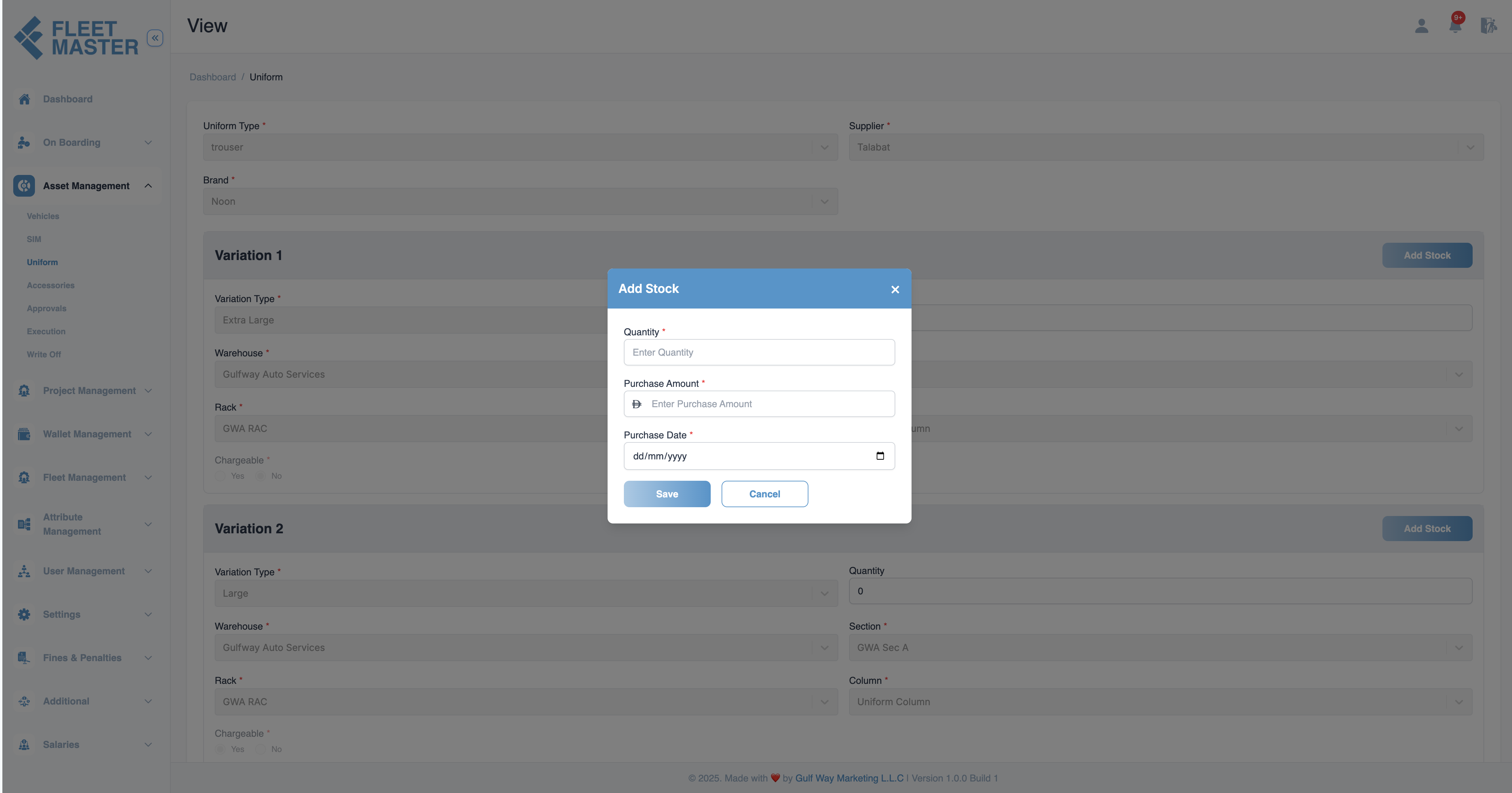
After defining one or more variations, you can begin adding stock. This prepares the uniform for assignment and lifecycle tracking.
Each stock entry belongs to a specific variation and is listed in the Stock Entries Table, where its status can be managed individually (e.g., Standby → Ready to Allocate).
Tip:
Add initial quantities in batches to reflect procurement or delivery sizes.
Summary
Creating uniforms with well-defined variations sets the foundation for:
- Organized warehouse inventory
- Accurate tracking of issued items
- Streamlined assignment and return workflows
- Better audit trails for uniform usage and cost recovery